Deal
Deal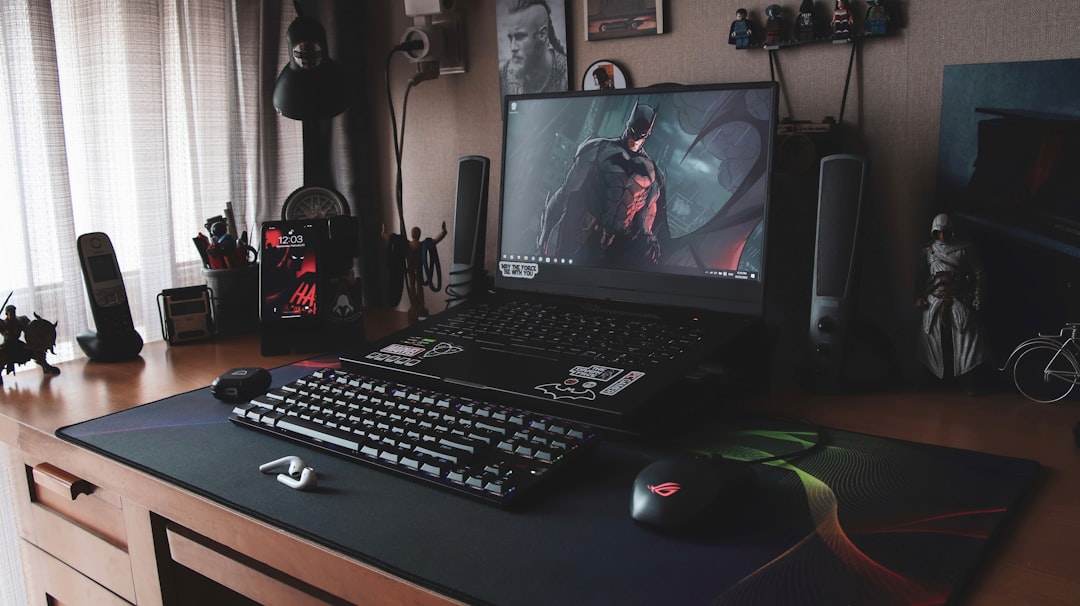
Let me tell you something that'll blow your mind: you don't need to drop $2,000+ to create a gaming setup that makes your friends jealous. I learned this the hard way after spending my entire summer job savings on overpriced "gaming" gear, only to discover later that I could've built an equally impressive battlestation for less than $500.
Three years ago, I was that guy eyeing the flashy RGB everything at Best Buy, thinking I needed the most expensive mouse and keyboard to dominate in Call of Duty. Fast forward to today, and my budget-friendly setup has outlasted most of my friends' expensive rigs – and it performs just as well, if not better.
The Psychology Behind Gaming Gear Pricing
Here's what I wish someone had told me when I started: that "GAMING" label can inflate prices by 200-300%. I once compared two identical keyboards – one marketed for office use at $35, another with RGB lights labeled "gaming" for $120. Same switches, same build quality, but the gaming version cost nearly four times more.
The secret is understanding what actually impacts your gaming performance versus what's just marketing fluff. Spoiler alert: most of those premium features are pure aesthetics.
Building Your $500 Gaming Arsenal
After testing dozens of budget alternatives and making plenty of mistakes, here's my proven formula for maximum gaming impact per dollar:
Monitor: The Foundation ($150-200)
Your monitor is where I recommend spending the biggest chunk of your budget. I scored a 24-inch 144Hz display during a Black Friday sale for $179 – originally $280. The difference in competitive gaming is night and day compared to a standard 60Hz monitor.
Pro tip: Don't get caught up in 4K hype if you're budget-conscious. A solid 1080p 144Hz monitor will serve you better than a 4K 60Hz display for the same price. Trust me, I tried both.
Audio Setup: Comfort Meets Performance ($60-80)
I used to think I needed a $200 "gaming" headset until I discovered studio headphones. I picked up a pair of Audio-Technica ATH-M30x headphones for $69 during an Amazon lightning deal. They're technically designed for music production, but they deliver clearer audio than most gaming headsets twice the price.
For a microphone, skip the built-in headset mics. A simple $15 clip-on mic or even your phone's earbuds will sound better than most gaming headset microphones.
Mouse and Keyboard: Where Precision Matters ($80-120 total)
This is where I made my smartest budget decision. Instead of buying a $100 "gaming" mouse, I grabbed a Logitech G203 for $25 during a Best Buy clearance sale. It has the same sensor as mice costing three times more.
For keyboards, mechanical switches make a real difference, but you don't need to pay premium prices. I found a Redragon K552 mechanical keyboard for $32 on sale – it's been my daily driver for two years without a single issue.
Here's my golden rule: Buy based on specifications, not marketing. A mouse with 12,000 DPI isn't better than one with 3,200 DPI if you'll never use settings that high. Focus on build quality and comfort instead.
The Art of Timing Your Purchases
Timing is everything in the electronics deal world. I track prices religiously and have saved hundreds by being patient:
- January-February: Post-holiday clearance sales clear out inventory
- Back-to-school season (July-August): Retailers compete for student budgets
- Black Friday/Cyber Monday: Obvious but true – I've seen 50% off legitimate deals
- Mid-week flash sales: Amazon's lightning deals often happen Tuesday-Thursday
I use price tracking tools like Honey and CamelCamelCamel religiously. Last month, I caught a gaming chair that normally sells for $200 drop to $89 for exactly four hours on a Wednesday afternoon.
Secret Shopping Locations Most Gamers Ignore
Everyone shops Amazon and Best Buy, but here's where I find my best deals:
Facebook Marketplace and Craigslist: I picked up a barely-used mechanical keyboard for $20 – retail price was $85. The seller upgraded and just wanted it gone quickly.
Office supply liquidation sales: Businesses upgrading their equipment often sell high-quality peripherals dirt cheap. I scored a $150 mouse for $30 this way.
Reddit communities: r/buildapcsales and r/GameDeals have saved me more money than any coupon site. The community spots deals faster than automated systems.
Manufacturer refurbished sections: Logitech, Razer, and SteelSeries all have refurbished sections with products that look brand new but cost 40-60% less.
DIY Upgrades That Cost Almost Nothing
Some of my favorite upgrades cost under $20 but make huge differences:
- Mouse pad upgrade ($8-15): A large, quality mouse pad improved my aim consistency more than upgrading my mouse did
- Cable management ($5-10): Velcro ties and cable clips make any setup look professional
- Monitor arm ($25-40): Frees up desk space and improves ergonomics dramatically
- Desk lamp ($15-25): Proper lighting reduces eye strain during long gaming sessions
Red Flags: When to Avoid "Deals"
I've been burned enough times to spot fake deals from a mile away:
Beware of brands you've never heard of selling "gaming" gear at suspiciously low prices on Amazon. I once bought a $15 "mechanical" keyboard that felt like typing on marshmallows.
"Limited time" sales that seem to run forever aren't real discounts. If that mouse has been "50% off" for three months straight, that's probably its regular price.
Always check return policies on electronics deals. No returns usually means either stolen goods or defective items.
My Current $487 Setup Breakdown
Here's exactly what I'm running right now and what I paid:
- 24" 144Hz Monitor: $179 (Black Friday deal)
- Mechanical Keyboard: $32 (clearance sale)
- Gaming Mouse: $25 (price match at Best Buy)
- Studio Headphones: $69 (Amazon lightning deal)
- External Microphone: $15 (basic clip-on)
- Large Mouse Pad: $12 (generic brand, works perfectly)
- LED Strip Lighting: $18 (adds ambiance)
- Cable Management Kit: $8 (makes everything look clean)
- Monitor Stand: $35 (frees up desk space)
- Desk Fan: $22 (keeps me cool during intense sessions)
Total: $415
That leaves $85 in the budget for future upgrades or games!
Maintenance: Making Your Gear Last
The cheapest upgrade is taking care of what you already own. I clean my mouse sensor weekly with a cotton swab, vacuum my keyboard monthly, and wipe down my monitor with microfiber cloths. These habits have extended my gear's lifespan significantly.
Bottom Line: Smart Shopping Beats Big Spending
Building an epic gaming setup on a budget isn't about sacrificing quality – it's about being strategic with your purchases. Focus your money on components that directly impact performance (monitor refresh rate, mouse precision), shop during optimal timing windows, and don't fall for marketing hype. My $487 setup performs just as well as setups costing four times more, and yours can too. The key is patience, research, and knowing where to look for the real deals.