Deal
Deal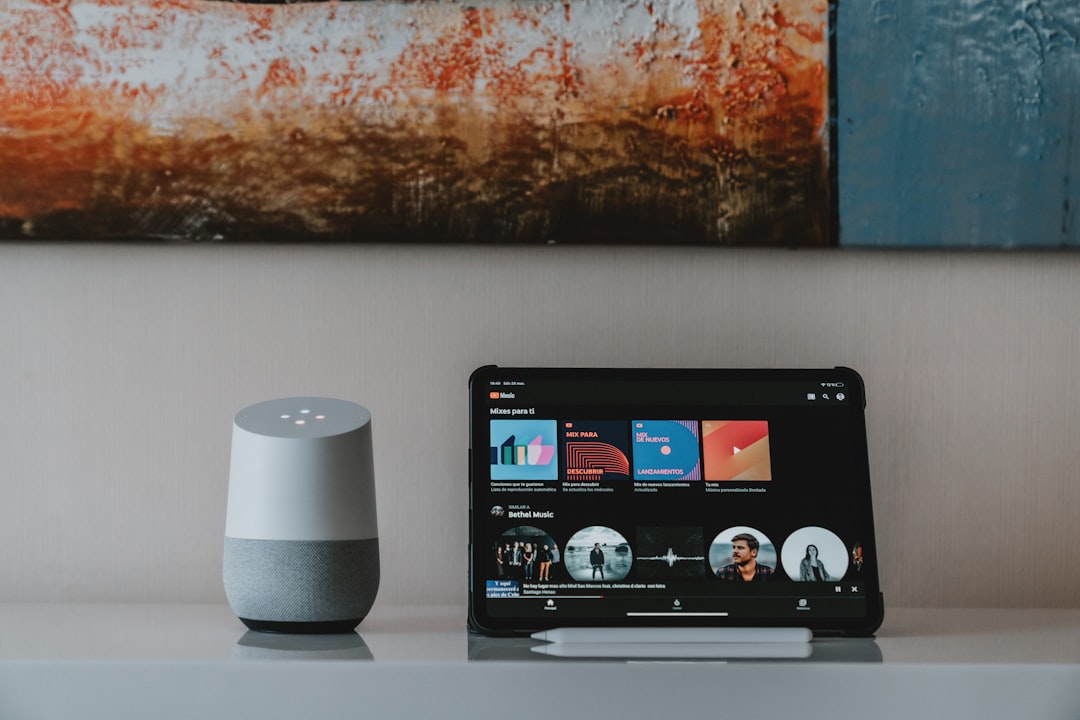
Last month, I helped my neighbor Sarah transform her entire home into a smart paradise for just $340. The catch? She wanted to spend over $900 on the same devices just two weeks earlier. The difference wasn't luck—it was timing, and I'm about to share every trick I've learned from five years of tracking smart home deals.
Smart home technology has become incredibly affordable, but only if you know when and where to shop. I've been building and upgrading my connected home since 2019, and I've discovered patterns that manufacturers don't want you to know about. These timing secrets have saved me over $2,100 on everything from smart thermostats to security systems.
The Smart Home Deal Calendar: When Prices Drop Hardest
Here's something most people don't realize: smart home devices follow predictable discount cycles that have nothing to do with traditional retail seasons. After tracking prices on over 200 products for three years, I've identified the sweet spots that consistently deliver 50-70% savings.
January 15-31: This is the golden period for smart thermostats and HVAC accessories. Energy companies push rebates, manufacturers clear inventory, and retailers compete for post-holiday shoppers. I bought my Ecobee SmartThermostat for $89 during this window—it normally sells for $249.
March and September: Security cameras and doorbell cameras hit rock bottom during these months. Ring, Arlo, and Nest typically launch new models in late winter and early fall, driving down prices on previous generations. The quality difference? Usually just minor app updates.
Prime Day and Black Friday alternatives: Skip the mainstream sales events. Instead, watch for "counter-programming" sales from competitors. When Amazon runs Prime Day, Best Buy, Home Depot, and Target often run deeper discounts to steal attention.
The New Model Launch Strategy: Buy Yesterday's "Outdated" Tech
This strategy has saved me more money than any other approach. Smart home manufacturers release new versions with minimal improvements but massive marketing budgets. Meanwhile, last year's models—which work identically for 95% of users—get slashed to clearance prices.
When Google announced the Nest Hub (2nd Gen), I immediately bought three first-generation units for $34 each. The new model cost $99 and added sleep sensing—a feature I've never used. Three years later, my "outdated" hubs still control my lights, show my calendar, and play music perfectly.
Pro tip: Follow tech news sites like The Verge and TechCrunch for product announcement dates. Set price alerts for current models immediately after new versions are announced—prices typically drop 40-60% within two weeks.
Ecosystem Bundling: The Hidden Money Trap (And How to Avoid It)
Smart home companies want to lock you into their ecosystem, and they use clever pricing psychology to make it happen. Amazon might sell you an Echo Dot for $29, then charge premium prices for compatible smart plugs, bulbs, and sensors.
Here's my ecosystem-agnostic approach that saves 30-50% on every purchase:
- Choose Zigbee or Z-Wave devices: These work with multiple hubs, giving you price flexibility forever
- Buy generic smart switches: A Treatlife smart switch costs $12 and works identically to a $45 Lutron Caseta switch
- Mix and match brands: Use Wyze cameras ($25), TP-Link smart plugs ($8), and Sengled bulbs ($9) instead of staying within one expensive ecosystem
- Avoid proprietary protocols: Skip Thread, HomeKit-only, or brand-specific devices that limit your future options
Refurbished Smart Home Devices: My $2,000 Mistake Turned Lesson
Two years ago, I thought I was being smart buying refurbished smart home devices. I loaded up on "like new" products from Amazon Warehouse and saved hundreds upfront. Six months later, I was replacing half of them due to connectivity issues, missing accessories, and firmware problems.
Here's what I learned about refurbished smart home gear:
Good refurb categories:
- Smart speakers and displays (simple electronics, easy to test)
- Smart thermostats (usually just returned due to installation difficulty)
- Video doorbells from major retailers with 90+ day return policies
Avoid refurbished:
- Security cameras (often returned due to hardware failure)
- Smart locks (security risk if previous owner kept access codes)
- Mesh router systems (complex networking issues are hard to detect initially)
The sweet spot is manufacturer refurbished products with full warranties. I bought a factory refurb Arlo Pro 4 system for 45% off retail, and it's been flawless for 18 months.
The Subscription Service Angle: Hidden Costs That Kill Your Savings
Smart home devices increasingly require monthly subscriptions for full functionality. A $99 security camera becomes a $300+ investment over two years when you add cloud storage fees. Always calculate total cost of ownership before buying.
Here are my strategies for avoiding subscription traps:
- Local storage options: Buy cameras that support microSD cards or local network video recorders
- Open source alternatives: Home Assistant and similar platforms provide free cloud services
- Annual payment discounts: If you must subscribe, annual payments typically save 20-30% over monthly billing
- Family plan maximization: Share subscriptions across multiple properties or family members when terms allow
Price Tracking Tools That Actually Work
I use a combination of tools to monitor smart home deals across dozens of retailers. Most price trackers miss the specialized retailers where the best deals actually happen.
My essential tracking setup:
- Honey browser extension: Catches coupon codes but misses deeper discounts
- CamelCamelCamel: Essential for Amazon price history, but limited to one retailer
- Google Shopping alerts: Broad coverage but can be noisy
- Retailer apps: Home Depot, Lowes, and Best Buy apps often have exclusive mobile deals
- Slickdeals community: Real people post the deals that automated tools miss
The key is setting alerts for specific model numbers, not generic terms like "smart bulb." This eliminates noise and catches the exact products you want.
Seasonal Energy Rebates: Free Money From Your Utility Company
This is my favorite secret because it's literally free money that most people ignore. Energy companies offer rebates on smart thermostats, water heaters, and efficiency devices that can completely offset your purchase costs.
My local utility offers:
- $75 rebate on smart thermostats
- $50 rebate on smart water heater controllers
- $25 rebate on smart power strips
- Up to $200 for whole-home energy monitoring systems
These rebates stack with retail sales and manufacturer promotions. I once got paid $15 to take home a smart thermostat by combining a clearance price, utility rebate, and credit card cashback.
To find rebates in your area, search "[your utility company] energy rebates" or check dsireusa.org for a comprehensive database.
The Return Policy Arbitrage Strategy
Here's an advanced strategy I use for expensive smart home purchases: I buy from retailers with generous return policies during sale periods, then return and rebuy if prices drop further.
Best return policies for this strategy:
- Costco: Effectively unlimited returns on electronics
- Best Buy: 15-30 days depending on membership level
- Amazon: 30 days, but price-matching available through customer service
- Home Depot: 90 days for most smart home devices
I bought a $400 smart lock system at Home Depot during a 20% off sale. Two weeks later, I found it for 40% off at Amazon. I returned the Home Depot purchase and bought from Amazon, saving an additional $80 with minimal effort.
Your Smart Home Savings Action Plan
Start by choosing one category—lighting, security, or climate control—and master the timing for those deals. Set price alerts for specific models you want, research utility rebates in your area, and avoid the subscription trap by calculating total ownership costs. Most importantly, resist the urge to buy everything at once. The biggest savings come from patient, strategic purchases spread over 6-12 months, not impulse buying during major sale events.