Deal
Deal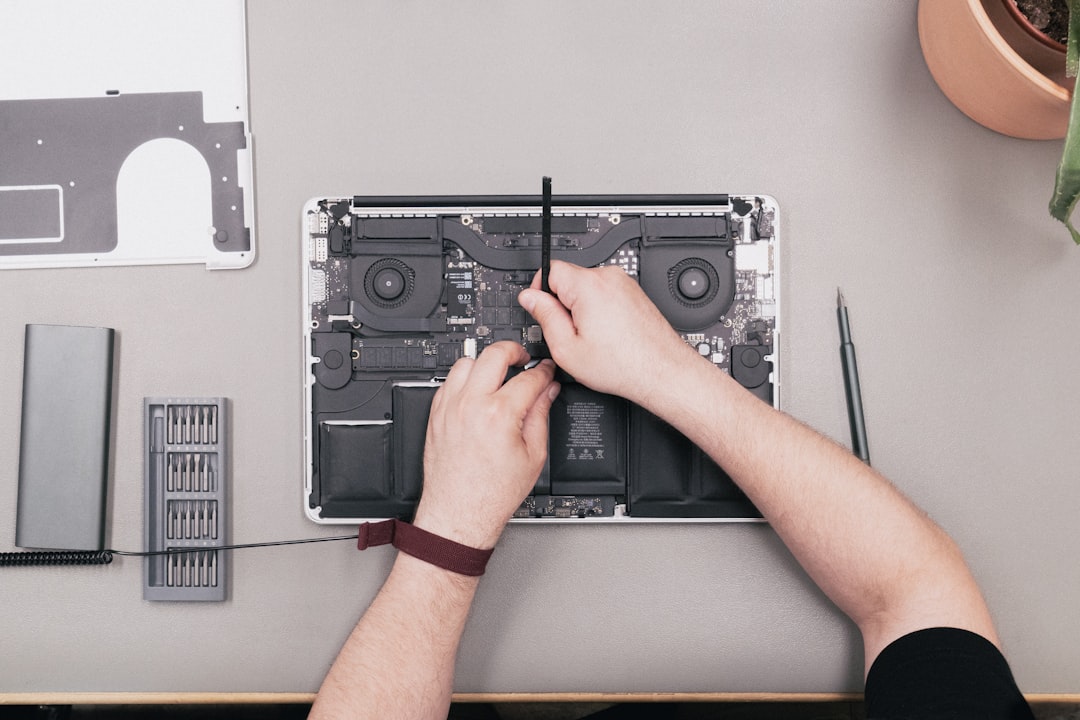
Last month, my trusty 4-year-old MacBook Pro started dying after just 45 minutes unplugged. My first instinct? Time for a shiny new laptop! But before I dropped $1,200 on a replacement, I decided to dig deeper into whether I actually needed a whole new machine or just a fresh battery.
Spoiler alert: That $89 battery replacement saved me over $800 and gave my laptop a complete second life. Here's everything I learned about making this crucial decision that could save you serious money.
The Real Cost of Laptop Battery Death
Here's what most people don't realize: laptop batteries are designed to last about 2-4 years or 300-500 charge cycles. After that, they start holding less charge, but the rest of your laptop is probably still perfectly fine.
I ran some diagnostics on my MacBook and discovered the battery was at 73% of its original capacity. Everything else? Running like a champ. The processor, RAM, storage, and display were all performing exactly as they should.
- Original laptop cost: $1,299
- Battery replacement cost: $89
- Potential savings: $1,210
But the decision isn't always that simple. Sometimes a dying battery is just the first sign that it's time to upgrade.
When Battery Replacement Makes Perfect Sense
After researching this extensively and talking to several repair technicians, here are the clear scenarios where replacing your battery is the smart financial move:
Your Laptop Is 2-5 Years Old
This is the sweet spot. The hardware is still relevant and capable, but the battery has reached its natural end of life. My MacBook fell perfectly into this category at 4 years old.
Performance Is Still Strong
Run some basic tests. Can you stream videos without lag? Do programs open quickly? Is multitasking smooth? If yes, you're probably looking at a battery-only problem.
No Other Hardware Issues
Check your keyboard, trackpad, screen, and ports. If everything else works perfectly, don't let a $60-90 battery force you into a $800+ purchase.
Your Needs Haven't Changed
If you bought the laptop for basic tasks like web browsing, document editing, and streaming, and that's still what you need, battery replacement is usually the winner.
Pro tip: Download a battery health app before making your decision. On Mac, try coconutBattery. For Windows, HWiNFO64 gives detailed battery statistics. If your battery is below 80% capacity, replacement will feel like getting a new laptop.
When It's Time to Buy New Instead
Sometimes that dying battery is actually doing you a favor by forcing you to evaluate whether your laptop still meets your needs. Here's when I'd skip the battery replacement and go shopping:
Your Laptop Is 6+ Years Old
Even with a new battery, other components are likely showing their age. You might replace the battery only to have the hard drive fail six months later.
Performance Has Significantly Degraded
If your laptop takes forever to boot, programs crash regularly, or you can't run current software versions, a new battery won't fix those problems.
Your Needs Have Outgrown Your Hardware
Started video editing? Gaming? Running demanding software? If your laptop struggles with your current workload, more battery life won't help.
Multiple Hardware Issues
Broken keyboard keys, dead pixels, failing ports, overheating issues - if you're looking at multiple repairs, put that money toward a new laptop instead.
The Hidden Costs Most People Miss
When I was comparing my options, I initially only looked at the sticker prices. But there are several hidden costs on both sides of this decision:
Battery Replacement Hidden Costs
- Professional installation: $50-100 if you can't DIY
- Potential warranty voiding on newer laptops
- Risk of damaging other components during replacement
- Time without your laptop during service
New Laptop Hidden Costs
- Software licenses that don't transfer
- Data migration time and potential costs
- Learning curve with new operating system versions
- Accessories that might not be compatible
- Higher insurance/replacement costs
For me, the DIY battery replacement took about 2 hours and some careful YouTube watching. The total cost was just the battery price plus a $15 toolkit from Amazon.
My Step-by-Step Decision Framework
Here's the exact process I used to make this decision, and it's saved three of my friends hundreds of dollars since:
Step 1: Run Diagnostics (Free)
Check battery health, run performance benchmarks, and test all hardware components. Spend 30 minutes here - it could save you $1,000.
Step 2: Calculate True Replacement Value
What would it cost to buy a laptop with similar performance today? Don't compare to flagship models unless that's what you actually need.
Step 3: Factor in Your Timeline
Need a solution immediately? Battery replacement wins. Can wait for sales? New laptop deals might change the math.
Step 4: Consider Your Actual Usage
Be honest about what you do 90% of the time. Most people overestimate their performance needs.
Step 5: Run the 2-Year Test
Will this laptop, with a new battery, meet your needs for the next 2 years? If not, buy new. If yes, replace the battery.
Shopping Smart for Both Options
If you decide on battery replacement, stick to OEM or high-quality third-party options. I initially tried to save $30 with a cheap battery from a no-name seller - it lasted 8 months and swelled up, nearly damaging my laptop.
For batteries, I recommend:
- OEM batteries from the manufacturer
- iFixit batteries (excellent quality and guides)
- Anker or other reputable third-party brands
If you're going the new laptop route, timing matters enormously:
- Back-to-school sales (July-August): 15-25% off
- Black Friday/Cyber Monday: 20-40% off
- New model releases: Previous generation drops 20-30%
- End of fiscal quarters: Business laptops often discounted
Real-World Success Stories
Since sharing my battery replacement experience, I've helped several friends make this decision:
Sarah's 2019 Dell XPS 13: Battery replacement for $75 instead of $1,100 new laptop. She's been thriving for 18 months since the replacement.
Mike's 2018 ThinkPad: Decided to upgrade to a new laptop because he'd started video editing. The battery issue forced him to realize his needs had outgrown his hardware.
Jenny's 2020 MacBook Air: Still under warranty! Apple replaced the battery free, saving her $199.
The key in each case was taking time to analyze the real problem instead of assuming they needed new hardware.
The Bottom Line
A dying laptop battery doesn't automatically mean you need a new laptop. If your hardware is 2-5 years old, performs well, and meets your current needs, a $60-150 battery replacement can give you 2-3 more years of solid performance. That's a potential $800-1,200 in savings. However, if you're dealing with an aging laptop that struggles with your workload, use that battery failure as motivation to upgrade strategically during major sale periods.